Skype as a home phone service
My wife and I switched to Skype for our home phone service after we got slapped with a $300 cell phone bill. When we did the research on an unlimited-calling home phone service, this is how the numbers came out:
(Now, it's even possible to use your old landline phone or an iPhone/iPod Touch with Skype.)Switching completely to Skype took about fifteen minutes:
- Download Skype.
- Get an unlimited calling subscription.
- Get a regular phone number.
- [Optional] Get Skype voicemail.
- [Optional] Get a phone to work with Skype:
- [Optional] Get a cam for video calling.
Three steps to Skype
-
Download
Skype. It only takes a couple minutes to download Skype
and then sign up for an account.
-
Get a
subscription
for unlimited calling. Without a monthly plan, you can use the SkypeOut
service to call other phones, where you pay about two to three cents per minute. We opted for the Skype subscription
for about $3/month. That brings unlimited calling, and you get a discount if you pay for a year in advance.
-
Get a
phone number
for inbound calls. We also got an online number
for our area code for $30/year with the subscription, so that friends and family could call us. Skype actually lets you pick your phone number, so I opted for one ending in 007.
Now you have a home phone number with unlimited incoming and outgoing calls on your computer!
Optional add-ons
-
Get Skype voicemail
. The Skype voicemail
service is convenient: you can browse your voicemail visually and from wherever you have access to the internet. It's worth the $20/year in my opinion.
-
Get a phone working with Skype.
We thought about using only our computers for Skype, but
we didn't want to miss a call if the computer wasn't on.
Plus, my Grandma had to be able to
use it.
So, that meant we needed a standalone Skype phone.
None of the standalone Skype phones were highly reviewed on
amazon.com
, so I rolled the dice on the cheapest phone that didn't need to be connected to the computer---the Belkin Skype Phone
: (It sells for $100 at the Skype Store
, but for some reason, a brand new one is $80 from amazon.com
.) I was pleasantly surprised by the phone. It integrates with the Skype voicemail service, and the complaints on the amazon web site seemed unfounded to me. As a replacement for a home phone line, it works very well. For about $50 more, there's also a portable version
of this phone that works over any Wi-Fi connection:
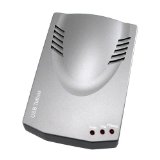
If, instead, you have an old telephone that you'd like to plug into Skype, you can use the Eforcity USB Phone Adapter
It's a lot cheaper than the D-Link Skype USB Phone Adapter:
, but it does exactly the same thing.
My wife and I recently started using the Skype iPhone application to avoid burning up cell phone minutes at home and work. We have the old iPhones, so it only works when we're in WiFi range. Apparently, it works for iPod Touch too.
-
Get a cam for Skype video calling.
The rest of my family has started using Skype, which has been
great, because my parents can see their grandchild over video chat.
My brother also bought them the
Logitech QuickCam
: It's adorable watching my baby recognize his grandparents' faces and voices over the video chat.